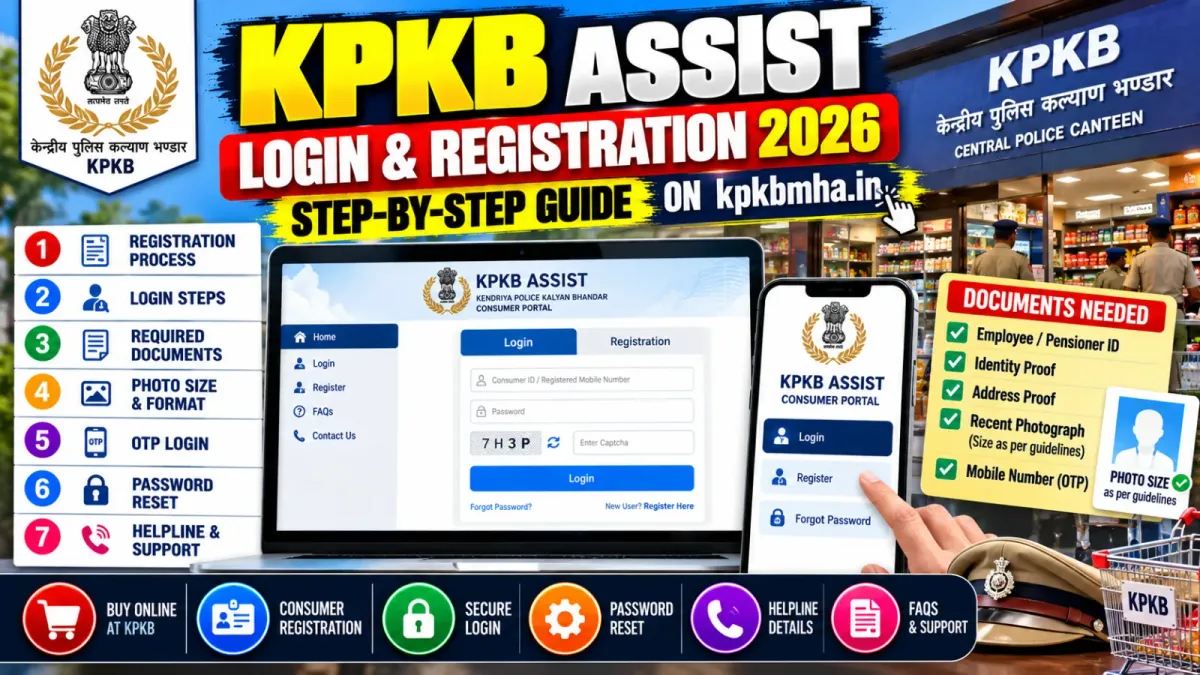
KPKB Assist Login and Registration 2026: Step-by-Step Guide on kpkbmha.in
How to register and log in on KPKB Assist (kpkbmha.in), the police canteen consumer portal: documents, photo size, OTP login, password reset and helpline.
Key highlights
- KPKB Assist at kpkbmha.in is the consumer portal of the Kendriya Police Kalyan Bhandar
- Registration has four steps and must be finished within 14 days of starting
- Keep your PAN, service number or PPO, a photo under 140 KB and your regimental ID as a PDF ready
- Login needs your username, password and a captcha, followed by an OTP
- Helpline: 07969066600, 9:30 am to 5:30 pm, Monday to Friday
In this article
KPKB Assist (kpkbmha.in) is the online consumer portal of the Kendriya Police Kalyan Bhandar (KPKB), the canteen network the Ministry of Home Affairs set up in 2006 for police and Central Armed Police Forces personnel. You register once with your PAN, service number and a few scanned documents, and then log in with your password and an OTP.
This guide covers who can register, what to keep ready, each registration step, logging in, and what to do when something goes wrong.
What is KPKB, and what does KPKB Assist do?
KPKB runs 119 master bhandars (warehouses) and more than 1,800 subsidiary bhandars (canteens), serving over 35 lakh beneficiaries. They sell groceries, household goods and durables to entitled personnel at lower prices.
KPKB Assist is where you create and manage your consumer account online. The portal’s copyright line names MSTC Limited, a central government company. For entitlements, prices and AFD purchases, see our full KPKB Central Police Canteen guide.
Several look-alike websites show up when you search for KPKB. The consumer portal address is kpkbmha.in. Never enter your PAN or service details on any other site.
Who can register on KPKB Assist?
KPKB serves serving and retired personnel of the Central Armed Police Forces (CAPFs), the Central Police Organisations (CPOs) and State Police Forces, and their dependants.
The registration form asks for your service status, with four options: Serving, Retired, Resigned or Deceased. The last option lets the family of a deceased member register, with the deceased person’s full name.
What documents do you need?
Keep these ready before you start, because the form has to be completed within 14 days.
| What | Details |
|---|---|
| PAN card | Your name, father’s name and date of birth must match PAN |
| Service number | ID card number if serving, PPO number if retired |
| Digital photo | JPG or PNG, under 140 KB |
| Regimental ID | Scanned as a PDF, under 240 KB |
| Dependants | Names and the last 4 digits of each dependant’s Aadhaar |
| Contact details | A working mobile number and email ID |
The registration page gives the regimental ID limit as 250 KB and the login page as 240 KB. Keep the file under 240 KB to be safe.
How to register on KPKB Assist: step by step
- Open kpkbmha.in and click New Consumer Registration.
- Step 1, Personal Info: enter your full name, father’s name and date of birth exactly as on your PAN card, then your mobile number, email ID, PAN, service status, service number and regimental ID. Click Next.
- Step 2, Verify Contacts: confirm your mobile number and email ID.
- Step 3, Additional Info: fill in the remaining details, such as your dependants, and upload your photo and regimental ID when the form asks for them.
- Step 4, Preview & Submit: check every field, then submit.
You must finish all four steps within 14 days of starting. After that, the portal deletes the incomplete application and you have to start again.
Tip: the most common mistake is a name that does not match PAN. If your PAN shows “Ramesh Kumar Singh”, do not enter “R K Singh”.
How to log in to KPKB Assist
- Go to kpkbmha.in/login.
- Enter your username and password.
- Type the captcha shown on screen and click Log In.
- Enter the OTP you receive and click Validate OTP.
The first time you log in, the portal asks you to re-enter or correct your basic details: name, date of birth, father’s name, mobile number, email ID and PAN. It is a one-time step, so check each field carefully before saving.
Forgot your password?
Click Forgot Password? on the login page, or open kpkbmha.in/forgot_password, and follow the steps to set a new one.
The portal’s User Guide & FAQ page has written tutorials for registration, login and password reset. It also has a video on what to do with an incomplete registration, or how to reapply after a rejection.
KPKB Assist helpline numbers
The portal lists these numbers, open from 9:30 am to 5:30 pm, Monday to Friday:
- 07969066600
- 07965086388
- 011-65263072
- 011-65263075
- 011-65263076
For problems with your canteen card or entitlement, your unit’s welfare or canteen branch is usually quicker than the helpline.
KPKB vs CSD: which portal do you need?
KPKB is for police and CAPF personnel under the Ministry of Home Affairs. Armed Forces personnel and ex-servicemen use the CSD canteens instead, which have a separate online system for cars, bikes and appliances. If that is you, see our CSD AFD online portal guide.
Frequently asked questions
What is KPKB Assist?
KPKB Assist, at kpkbmha.in, is the online consumer portal of the Kendriya Police Kalyan Bhandar, the canteen network set up by the Ministry of Home Affairs in 2006 for police and CAPF personnel and their families.
Who can register on KPKB Assist?
Serving and retired personnel of the Central Armed Police Forces, Central Police Organisations and State Police Forces, and their dependants. The form also has options for personnel who have resigned and for the families of deceased personnel.
What documents do I need for KPKB registration?
Your PAN card, service number (ID card number for serving personnel or PPO number for retired personnel), a digital photo under 140 KB in JPG or PNG, a scan of your regimental ID as a PDF, and the names of your dependants with the last 4 digits of their Aadhaar.
How do I log in to KPKB Assist?
Go to kpkbmha.in/login, enter your username, password and the captcha, click Log In, then enter the OTP you receive and click Validate OTP. Use Forgot Password on the same page if you cannot sign in.
What happens if I do not finish registration in 14 days?
The portal deletes an incomplete application after 14 days, and you have to apply again from the start.
Sources
Never miss an update
Get 8th CPC, DA, CGHS and pension news as soon as it is published.